Grab this Widget ~ Blogger Accessories
Showing posts with label cell phone. Show all posts

PowerCam, A Nice APP For Your iPhone

If you are a smart phone user you might know about Instagram, even you are using it. This APP can help users make good photo with their cellphone. After Facebook paid 1billion dollars bought this Instagram, some other similar APPs are coming out. Now, WonderShare just pushes out a nice APP for iPhone and iPad, it called PowerCam. Not only support photo, it also supports video. With over 50 effects, you can edit photo in real time, like add frames, filters.

PowerCam lets users face-tracking to snap the portrait, easy to capture your face on photo. If you have iPhone or iPad, try it for free in limited time.


1000Memories, Turn Old Fashioned Photos To Digital With Your iPhone

If you like me, a mid-age person, you should have some very old photos, 20 years ago we only have film photos. Nowadays, everybody knows digital camera, young generation doesn't know that kind of photos. The problem is, how can we convert old fashioned photo to digital? The only way is, scan these old photos, and save them to your computer.

1000Memories is a website that helps users scanned old photos by your iPhone, and stores on server. With this web service, you have to download an application "Shoebox" to your iPhone. This app mixed Scansafe that turns your iPhone or iPad to a scanner. So you can scan old photos, simple adjust size, color, bright. It will save this photos in your phone and upload to sever automatically. You can also share them in Facebook, Twitter.


Build Own Social Networking With Your Special One

My blog didn't reach subject with cellphone in the past, like app for iPhone, Android phones. But now, more and more people have smartphone, tablets, I may write some articles to introduce applications in the future. Today, I would like to introduce this App for iPhone, it called "Pair".

This is social networking application, but only for two people. Unlike other social networking services, Pair works with two phones, it helps you to hook up a special partner, you guys can share message, photos, videos, even kiss (virtual) to each other. This app is free, only supports iPhone. All stuff (like text, photo, video) store on server, so your iPhone doesn't store anything. If you changed relationship with your partner, you have to ask Pair to delete your stuff if you don't want to keep. You couldn't delete it by yourself.


Transfer Big Files In iPhone

I do not have iPhone and iPad, but today my subject is an application for iPhone. I just think may some people will be interesting about it.

Transfer Big Files is an application for iPhone that lets users share big files with other users like image, video wirelessly. Transfer directly from your iPhone without having to plug in to a computer, then share it with anyone using a web link to the download page.

Actually, your photos and videos are transferred to your Transfer Big Files cloud storage. You can get a download link in an email, users can send it to other users who can download files directly.


Transfer Big Files offers 5GB space for free now. It compatible with iPhone, iPod touch, and iPad. Requires iPhone OS 3.0 or later.

Use Your iPhone To Improve The Environment Of Your City

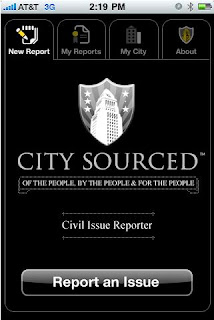
First of all, I must say I do not have iPhone, I did not try this application before I wrote this article. But I still want introduce this iPhone or iPod application to people who have iPhone. This application called CitySourced, and it allows you use your iPhone to take photos around your city, then report it to server, such as report some trash on the street, a graffiti on outside the wall of your house. Finally, it will direct report to your City Hall. It can help city to improve the environment.

It is a free application, you can download it with iTunes store for free. This service is available in 1900 US cities.


Make Free International Phone Call With Jaxtr


If you live in big city in your country, and have some friends or family live in other country, maybe this post is good for you. Today, I would like tell you a good news that you can make international phone call for free.

Jaxtr is a social communications company, it offers a plan that unlimited free international phone call between some countries. This calling is phone to phone, you do not have to install any software into your computer. Only you have to use computer is in the beginning. On main page you have to fill your phone number and destination phone number, click "Get Jaxtr Number" button. It will give you a local phone number, so you can call this local number, after that you can follow prompt steps to dial destination number, wait it connected you can talk to each other.

This free phone call service is not for all countries, it is only for some countries (over 50 countries) that Jaxtr supported. You can check this list, between these countries you can make phone call for free.


如果你住在一个大城市,而且有亲人和朋友在海外的话,也许这个帖子会对你有帮助。今天,我要告诉你一个好消息:你可以免费拨打国际电话。

Jaxtr是一个社会性交流公司,它提供一个可以在某些国家免费拨打国际电话的计划。该计划是通过电话对电话的方式,并不需要在电脑中安装任何软件。唯一使用电脑是在开始阶段,在它的主页上输入你使用的电话号码,以及对方的电话号码。点击"Get Jaxtr Number"按钮,它会给你一个当地号码,你可以使用电话来拨打这个当地号码,跟随里面的提示进行拨打对方的电话,稍等片刻后它会连接,这样你就可以交谈了。

这个免费拨打计划并非针对所有的国家,它只对一些Jaxtr支持的国家(超过50个国家)有效。你可以在这个列表上查看支持的国家,在这个列表上的国家可以享受相互免费拨打计划。

Wapedia, A Cellphone Version Of Wikipedia

Wapedia is a cellphone version of Wikipedia encyclopedia, it lets you use cellphone or PDA device to access over 2,880,000 articles of the extensive Wikipedia encyclopedia.

It is very easy to use on cellphone, if your cephone or PDA device can get online, just type http://wapedia.mobi/en/ into browser bar. Now it supports several languages: German, Spanish, English,French.All articles of the encyclopedia are from Wikipedia.


Wapedia是一个移动版的维基百科,它可以让你用移动设备如手机、PDA来进入维基中288万篇文章。

使用手机非常容易进入,只要你的手机可以上网,在浏览器中输入:http://wapedia.mobi/en/< /code>。目前,它支持其他一些语言:德语、英语、西班牙语、法语。所有的文章均来自Wikipedia


Cellphone Client Helps You Share Media Files


Nowadays, new technology make cellphone more functions, like take picture or video with digital camera, use 3G network access internet, if you found wi-fi hot spots you can get online for free. It is very popular in young people, they like carry their cellphone to contact friends anytime, anywhere.

Mobicue is a free application for cellphone, it is also an online community for cellphone users. With it you can upload pictures, videos, and audio recordings directly to your personalized Mobicue homepage. It can direct upload your stuff to server when you taking a picture, video, or audio. You do not have to wait, and your friends will see them at once.


Sign up Mobicue is free, just use your cellphone direct download and install it. But you have to check out if it support your cellphone. Now it supports most new Nokia phone, some models of Samsung, LG, Panasonic.

当今,新的科技将移动电话融合了更多的功能,如使用数码相机照相和摄制视频影像,使用3G网络上网,只要找到无线上网热点你就可以免费连接英特网。这对年轻一代的人们来说真是太好了,他们喜欢携带这种手机,这可以在任何地方、任何时间都能与朋友们联系。

Mobicue是一个转为手机设计的免费软件,它也是一个适合手机用户的在线网络社区。你可以用它来上传相片、视频和音频文件,他们会直接上传到你的Mobicue主页。根本不用等待,在你拍摄相片或视频后它会立刻进行上传,你的朋友们也会立刻可以看到这些东西。

注册Mobicue是免费的,只要直接用手机下载和安装它即可。但是你必须查看一下它是否支持你的手机。目前,它支持大多数新的诺基亚手机、部分三星、LG和松下手机。

Google Voice Merged GrandCentral Phone Service


After almost two years, Google finally made a deal with Grand Central which improve its VOIP phone, voice mail, and SMS service. Now it called Google Voice that is a service and gives you one number for all your phones, voice mail that is easy as email, and many enhanced calling features like call blocking and screening, voice mail transcripts, call conferencing, international calls, and more.

With Google Voice, you can call US phone number for free, and cheap rate for international calling. It is currently available for Grand Central users only, but will be open to new users soon. If you like you can leave your email address and require invitation on this page.


I had try, it seems work fine. The best point I liked that is you can forward phone call to your home phone or cellphone, and hide your real phone number. To get a virtual phone number, you can put it anywhere that you liked, website, public contact list, you do not have to worry about leak your real phone number.

在经过几乎两年的接触,Google终于与Grand Central达成协议,改善它的VOIP电话、语音邮件和短信服务。现在它被称为Google Voice,它一个网络服务,给与你一个电话号码将所有其他的电话号码会合在一起,发送语言邮件,以及其他一些功能,如屏蔽电话号码,拷贝语音电话,拨打国际电话等。

Google Voice,你可以免费拨打美国电话,以及价格便宜的国际电话。目前,它仅仅提供服务给Grand Central用户,不过不久就会对大众开放,如果你想要注册的话可以在这个网页留下电子邮件地址。

我试用了一下,还不错。我觉得最好的特点是它可以将电话转发到你家中或移动电话上,而隐藏你真实的号码。可以得到一个虚拟电话号码,你可以将其放在任何地方,如网站、公共联系名单中,而无需担心泄漏你真实的电话号码。

Use Poketalk Call Internation Destination For Free

I had some posts that cover VOIP phone calling service. This time, I like introduce a web service which allows you to use your phone to call domestic and international destination. Poketalk can do this job for you.

It is similar with other famous VOIP service Jajah that I wrote before. You do not have to use microphone with computer, only you have to do is sign in on Poketalk. Fill your own phone number (landline or cellphone), and a destination phone number. It supports many countries, some countries user can use free calling, like US, Denmark, Canada, France, Germany, Japan, Singapore, UK.


After you click "Call" button, it will connect bother phones, after a while your phone will be ringing, just wait a while to dialing to other phone, then talk to each other. Each calling have 10 minutes for free. I tried this service, it works fine.

我以前写过一些有关IP电话的文章。这一次,我要谈的是另一个网络服务,它可以让你使用自己的电话来打国内和国际电话。Poketalk就可以为你做这个工作。

它与另一个我以前提到的一个知名的网络服务Jajah比较相似。你并不需要使用电脑和麦克风,你需要做的是登陆Poketalk。输入你自己的电话号码(普通座机或者移动电话),以及对方的电话号码。它支持很多国家,一些国家的用户可以享受免费拨打,如美国、丹麦、加拿大、法国、日本、新加坡、英国等等。

在你点击"Call"按钮后它会连接双方的电话,等一会后你的电话铃声会响起,只要等待它接通对方的电话即可通话。每次拨打可享受10分钟的免费通话。我试用了一下,还不错。

Turn Your Voice To Text Message Via Phone


Internet is amazing! Many companies spreads their business on internet, we can find new service online everyday, even the business is not related internet service. Today, I would like introduce a phone service but that is not for call to each other, it calls a server and turns your voice to text, like email, instant message, or just remind yourself something. The service called Dial2do.

How to use Dial2do? It is very simple, just use your phone dial a phone number that service gave you, tell it what you want to do. If you want turn your voice to a email, just say "email" and who you want send to when server asking. If you want remind yourself something, just say "reminder", after you voice recorded it will send an email to someone or yourself. That is very simple.

It is useful in somewhere or different condition, like you travel outside and you want quick send a message to your family or friends. You can use it to remind yourself something anytime. Even you can ask about "weather", "calendar", post a "Twitter" update feed, even ask "translate" a message to another language. It is cool. Dial2do servers around 24 countries, including US, UK, Japan, Australia, Canada. You can dial a local access number to use this service for free, but your phone company will charge you as normal calling.

网络总是很迷人!很多商业公司会在网络上发布信息,所以我们每天都能在网络上发现新的服务项目。今天我要介绍的是一个电话服务,但它并不是让你与他人通话,而是将你的语音转为文字通过电子邮件、移动电话短消息的方式传输,或者直接用于提醒服务。这个服务称为Dial2do

如何使用Dial2do?其实很简单,只要拨打一个它给你的服务电话号码,告诉它你要做什么。例如:如何你要讲你的语音转为电子邮件的话,可以说"email"和你要发给谁;如果你要提醒你自己做什么事的话,可以说"reminder",它会将你的语音录下来并用电子邮件发送给他人或者你自己。非常简单。

这在某些场合比较实用,如你旅行在外需要快速给家人和朋友发送消息,或者直接用作提醒功能。还可以用来询问有关"weather(天气)", "calendar(日历)",发布一个"Twitter"更新消息,甚至还可以使用"translate"将语音消息翻译成另一种语言。非常酷!目前Dial2do的服务遍布24国家,包括美国、英国、日本、澳洲、加拿大等,很遗憾没有中国。你可以拨打当地的服务号码享受这个免费服务,不过请注意,电话公司仍然会象平常打电话那样对你收取电话费用。

Use Cute Content To Decorate Your Cellphone

Say-yeah is a website that made some cute contents for cellphone, that contents including motion graphics and music ringtone. It has some contents you can download for free, but it also has more nice contents you have to pay it.


Say-yeah是一个提供一些非常不错装饰移动电话内容的网站,它制作了一些结合图片和音乐的材料供你下载。有些材料可以免费下载,但大多数不错的材料需要付费。

Directly Leave Your Voice Message To Cellphone Carrier In US


I have a cellphone that I carried always, but I am not use it often that cause I do not have too many people to contact, and I am not pick up some strange phone number callings. So voice message is good for me, if someone want reach me that should be a good way.

Today, I talk about a telephone voice message service. Slydial is a free voice message service for cellphone in USA, its service is for cellphone that offers you free leave voice message to any cellphone in USA. So use this service that is not require computer, only telephone landline or cellphone. You do not need register if you just want use regular phone. Very simple steps below.

1. Dial 267-SLYDIAL (267-759-3425) from any landline or cellphone.

2. At the voice prompt, enter the U.S. mobile phone number of the person you want to slydial (it will play a short audio advertisement).

3. You will be directly connected to their voicemail. Leave them a voicemail. That is all you have to do.

If you use iPhone, Blackberry and Windows Mobile platforms might be much easier than regular phone, but you have to apply special applications for your phone, they are also free.

Pros: It is a free service, you can use any phone cellphone and landline phone dial to 267-759-3425, and leave a voice message to someone who carried US cellphone. Never bother receiver if you just want leave a message.

Cons: Its main phone number is not toll free number like 800 or 866, so you need pay a long distance fee to dial 267-759-3425. It is good for different areas who you want reach.

我总是带着移动电话,但并不太使用,因为我并没有太多的联系人,也不会接一些莫名其妙号码的电话。所以别人联系我的最好方法是留下语音信息。

今天我要说的话题是关于移动电话,Slydial是一个以美国境内的语音信息服务商,它为移动电话用户提供一个免费的语音信息服务,你可以在美国使用任何电话给任何移动电话用户留下语音信息。使用这个服务并不需要电脑,可以用普通电话,或移动电话即可。也并不需要注册,只要做几个简单的步骤即可。

1,用任何电话(移动电话或普通座机)拨打267-SLYDIAL (267-759-3425)。

2,在语音提示后输入你要留下语音信息的移动电话号码(仅限美国),它会播放一段语音广告。

3,它会接通语音机器,留下语音信息。这就是全部你所要做的。

如果你使用iPhone、Blackberry、Windows Mobile程式的话可以使用一些特别的程式,这会使用起来更简单,他们也都是免费的。

优点:这是一个免费服务,可使用任何电话拨打267-759-3425,给任何美国境内的移动用户留下语音信息,而且无需打扰接收者。

缺点:它的主要接入电话并不是免费的,如800或866,所以你需要支付长途电话费用。它比较适合给不同地区的人留语音信息,但对相同区域的用户并不适合。


Make Your Own Ringtone


Do you have a cellphone? Do you change your cellphone ringtone often? Have you download ringtones from internet? If you want special ringtone maybe you can make it via a web tool. Make Own Ringtone can help you do that, it is very simple.

Go to Make Own Ringtone, just upload your favorite music, different formats that included MP3, AAC, OGG, MP4. Pick up a biterate, and download it. That is all. If you like you can pick different modes, like advanced mode, expert mode, they have more choices for your ringtone.


It has three ways to download: computer, cellphone, or send via email.


你有移动电话吗?你是否常常更换移动电话的铃声?你在网络上下载铃声吗?如果你想要特别的铃声也许你可以利用一个网络工具来制作你自己的铃声。Make Own Ringtone就可以帮助你,非常简单。

只要到Make Own Ringtone这个网站,上传你喜欢的音乐, 可以使用不同的格式包括MP3, AAC, OGG, MP4等。选择一个比特率,然后下载,这就是全部过程。如果你愿意的话,可以选择不同的模式,如advanced mode, expert mode,他们有更多的铃声选项。

它可以用三种方式下载:电脑、移动电话和通过电子邮件发送。

Make Your Blog To A Mobile Version


Nowaday, many people have cellphone, and new cellphone also can get online. It is convenient to use cellphone check your favorite website anywhere. But it is not every sites are fit mobile version, if you can convert your blog or website into mobile version that should be better.

Mofuse is a web service that helps you convert your regular site into a mobile version that makes cellphone can display content correctly. It is a free service, just fill your blog's feed into its bar, after click "Mobilize" button it will display your blog on a simulated cellphone interface. You can fill other information such as email address, mobile site name with Mofuse, you can get a mobile site with .mobi domain. It is very simple but works fine.

You can check out my blog in mobile version. Looks like picture below.


当今,越来越多的人拥有移动电话,新的移动电话都可以上网,所以用移动电话在任何地方都可以查看你喜欢的网站也非常方便。但是并不是所有的网站都适合移动电话浏览,如果能将普通的网站转换成移动电话版本的话就非常好了。

Mofuse是一个网络服务网站,它可以帮助你将普通的网站转换成一个移动电话版本,这样你的网站或blog在移动电话中就会显示正常。这是一个免费服务,你可以在它的搜索条上输入你的blog的feed,点击"Mobilize"按钮后,它会将你的blog显示在一个模拟移动电话界面上。你可以输入其他别的信息如电子邮件地址,移动版本网名,你会得到一个.mobi后缀的网站域名。非常简单但很实用。

你可以看一下我的移动版面blog,借如同上面显示的图片一样。

Use Cellphone To Send Your Business Card


Are you a businessman? Do you have a lot of business cards? If you do maybe this service good for you. Rmbrme.com is a free service that allows you send business card by your cellphone, it called "bzCards". It is easy to use and fast to create new connections.

How does it work? Actually, it is a text message service. After you registered with Rmbrme.com, you will get an account that lets you create your "bzCards". When you meet someone new, just text their cellphone number or email address to 762763 (RMBRME). They will get a link to your bzCard quickly where they can add you to their address book. You can also get their bzCard sent back to your phone.


It works with any text message capable phone and on any cell phone carrier in the US.


你是一个做生意的人吗?你是否有不少名片? 如果是的话也许这个服务会适合你。Rmbrme.com十一个免费服务,它可以让你用移动电话发送名片,这个名片叫做"bzCards"。它非常容易使用和快速创建新的联系人。

它是如何运转的?事实上它是一个移动简讯服务。当你在Rmbrme.com 上注册一个账户后可以创建你的"bzCards"。当你见到一个新的生意伙伴时可以用移动电话将他的电话号码或电子邮件地址发送到762763 (RMBRME)。他会很快收到你的"bzCards",并可以将其添加到地址簿中。你也可以收到"bzCards"的返回信息。

它使用与任何有简讯服务的移动电话,不过仅在美国境内有效。

Accept Calls Anonymously


I hate tele-market that is annoyed by recalling again and again. I always do not understand where did they find my phone number. I know sometimes we need leave our phone number on somewhere, like website, Craigslist. How can you leave a phone number but against spammers?

Letscall is a good way that helps you against calling spammers. This is a free service, you can leave your contact page with Letscall but never leak your phone number, even you can know what number that calls you.

How it works?

* Pick your own page with Letscall instead of giving out your phone number, it will create a web address for you
* People who want to call you input their phone number on your Letscall page, and then it will call them and connect them with you
* Your phone will ring with the other person's Caller ID
* If you want to block the person from calling you, just tell Letscall about spammer's number


我痛恨电话营销,他们总是不断地打电话给你试图销售什么,这的确很恼人。我不知道他们是如何获得我的电话号码,我知道有时候我们需要在某些地方留下电话号码,如什么网站、Craigslist等。如何能留下电话号码又不被那些垃圾电话所困扰?

Letscall是一个比较好的方法来阻止垃圾电话的侵袭,这是一个免费服务,你可以留下一个Letscall的联系页面,又不泄漏你的电话号码,甚至你还可以知道来电的号码。

它如何工作?

* 选择一个Letscall网页来取代留下你的电话号码,它会为你创建一个页面
* 如果有人想打电话给你的话需要到你的Letscall页面上留下他们的电话号码,Letscall会联系对方并将双方的通话相连接
* 你的电话铃声会响起来,并告知来电者的身份
* 如果你想禁止哪个人打电话给你,只要告诉Letscall该人的身份即可


Biuld Your Own WAP Site


If you are interesting about WAP site may you can try to build your own one by TagTag, That it offers a simple way to help you do it. What is WAP site? That is special site for cellphone users, it should be easy for small screen displaying.

Well, you can build your own WAP site that hosts on TagTag, what can you do with it? Upload pictures, create mobile albums, put your webcam to your cellphone, create blog, guestbook or chatroom. If you like use your cellphone share something with your buddies may that is a good service for you.


如果你对WAP网站感兴趣的话,也许你可以试一下TagTag,它是一个网络服务网站,可以帮助建立一个属于你自己的WAP网站。什么是WAP网站?它是专门为移动电话设计的网站,适合比较小的屏幕来显示内容。

现在,你可以用TagTag来创建自己的WAP网站。你能做什么呢?上传照片、创建移动专辑,将你的webcam放到你的移动电话上,创建blog,留言簿,或者聊天室。如果你喜欢使用移动电话与你的朋友们分享文件的话,也许这个服务非常适合你。


Make International Phone Call Local Charge


I often use international call for my family, I use telephone card which is much cheaper than regular phone call, but you still need pay phone fee. Of course, you can try some internet phones like Skype, or instant messengers like Yahoo Messenger, MSN Messenger, these clients can make phone call via internet, and it also cheaper than regular phone. But I still want to search free lunch.

Talkster is a website that provided long distance or international phone call service. It is not like other VoIP service, it makes long distance or international to local phone charge. I do not know how Talkster work, it seems very good for me, because you do not need use computer after you got local phone numbers, you can use your regular phone or cellphone to call your friend.

You do not need register, credit card, prepayment, only you need to do is go to Talkster, put your phone number and country, your calling phone number and country into table. You will get two local phone numbers, one for you, another one for your calling destination. After that, you do not need computer.

First calling seems difficult, at least for me. You need use your local phone number that Talkster gave you, that means you need dial local phone number. After that, you need hold on your phone till it connected destination. It is not easy for most users, because service only offers you 10 seconds to talk to destination caller. It requires your destination caller hang up first, and use a destination local phone number call back to you while you still hang on your phone. Remember, make every calling that need both sites to dial each local phone number.

I tried several times, it works but it is not easy, you need wait a while. The calling quality is good, that makes me a little bit surprise. I do not know how it makes free, I mean you use Talkster phone service is free, you only need pay is your local calling.


You need go to Talkster check out if your country on the open list.

我常常使用国际长途电话与我的家人联系,但是我通常使用电话卡,这比常规的国际电话费用要便宜的多,尽管你仍然需要支付。当然,你可以使用网络电话,如Skype, 或者使用网络即时通如: 雅虎通, MSN即时通等等这些网络通讯客户端都可以实现网络通话,而且比一般的电话费用要便宜的多。但我仍然想搜索免费的午餐。


Talkster是一个提供长途和国际长途服务的网站,它与一般的网络电话服务商所不同的是它可以将长途和国际长途变成本地电话,也就是说尽管你使用的是国际长途你只需要支付本地电话费。我不知道它如何工作的,但这对我来说非常不错。它的好处是,在你第一次在Talkster网站得到本地电话号码后就不需要电脑了,你可以使用一般的电话和你的移动电话来拨打。

你不需要注册、信用卡和预付款。唯一你要做的是在它的主页上得到两个本地电话号码,一个是你的本地号码,另一个则是对方的本地号码。这比较简单,只要提供你的电话号码、国家和你要打的对方电话号码、国家。

第一次通话好像有点不太容易,至少对我来说是这样。首先是使用Talkster给你的本地电话号码,然后等待该服务接通对方的电话,不过你只有10秒钟的通话时间,而对方需要挂断电话后重新使用Talkster给的对方电话号码回拨给你。请注意,该服务需要双方都拨通各自的本地电话。

我试用了几次,它可以通话但并不容易,尤其是第一次拨打,你需要等待比较长的时间。它的通话质量好不错,这点让我有点感到意外。我不知道它是如何在不收费的情况下盈利的,我指的是Talkster的服务是免费的,你所需要支付的是本地电话费。

你需要到该网站上查查你的国家是否开通,目前所开通的华文国家有中国大陆、香港。


Use Jott Listen Articles From Your Favorite Website


If you are a crazy geek who can live without internet especially you must read article from your favorite site, how can you do without internet in somewhere like in a car or bus or train? Jott may help you that offers a new and easy way to get updates from your favorite websites via your cellphone, that talk about regular cellphone, not use cellphone surf online.

How can you do with Jott? First you need create an account with it. After that, you can add any RSS feed to your account. If you want know what new in your favorite site you can call Jott, and it will read them for you. Sounds good?


如果你是一个网络狂而不能没有英特网的话,尤其在一些不能进入网络的地方如在车上、船上等,你想要知道你喜欢的网站更新情况你该如何办?Jott也许可以帮助你,它提供一个新的方式来及时与你喜欢的网站保持联系,它通过移动电话来告诉你一切更新。这里所谈到的移动电话是指一般的移动电话,并不是利用移动电话来上网。

如何使用Jott?非常简单,只要创建一个账户,在其中添加你喜欢网站的RSS feed。当你需要时可以打电话到Jott,它会读给你听。听上去是不是不错?